
Cryptocurrency Hardware Wallets A Comprehensive Guide
September 11, 2026
Gemini Ethereum Staking: A Comprehensive Guide
September 14, 2026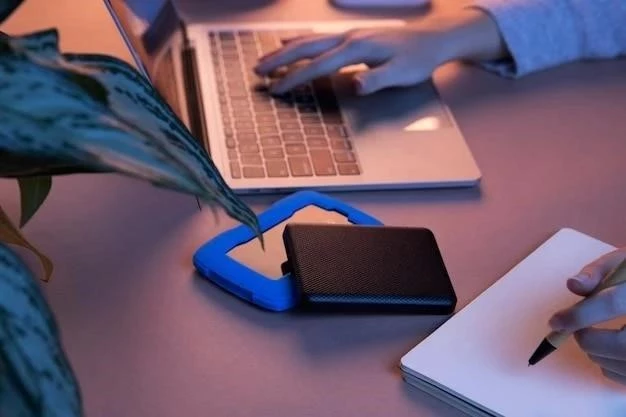
Hardware wallets are considered the most secure way to store cryptocurrencies. Unlike software wallets (desktop, mobile, or web-based), hardware wallets keep your private keys offline, drastically reducing the risk of hacking. This guide provides a detailed walkthrough of setting up a hardware wallet, covering essential steps and best practices.
Choosing a Hardware Wallet
Several reputable brands exist, including Ledger, Trezor, and KeepKey. Consider factors like:
- Supported Cryptocurrencies: Ensure it supports the coins you hold or plan to acquire.
- Security Features: Look for a secure element chip and tamper-evident packaging.
- Ease of Use: Consider the user interface and companion software.
- Price: Hardware wallets range in price, typically from $50 to $200+.
Initial Setup & Seed Phrase Generation
This is the most critical step. Follow the wallet’s instructions carefully.
- Unboxing & Verification: Inspect the packaging for tampering. Verify the device’s authenticity on the manufacturer’s website.
- Initialization: Connect the wallet to your computer via USB. The device will power on and guide you through the initialization process.
- Seed Phrase Generation: The wallet will generate a 12, 18, or 24-word seed phrase (recovery phrase). Write this down on paper – never store it digitally!
- Seed Phrase Verification: The wallet will ask you to confirm the seed phrase by entering specific words. This ensures you’ve recorded it correctly.
Important: Your seed phrase is the key to your funds. If lost or stolen, you lose access to your crypto. Store it securely and never share it with anyone.
Setting a PIN Code
A PIN code protects your hardware wallet from unauthorized physical access. Choose a strong, memorable PIN that isn’t easily guessable; Some wallets offer biometric authentication (fingerprint) as an additional layer of security.
Installing Companion Software
Hardware wallets require companion software (e.g., Ledger Live, Trezor Suite) to interact with blockchains and manage your cryptocurrencies. Download the official software from the manufacturer’s website. Avoid downloading from third-party sources.
Connecting to Blockchains & Receiving Crypto
Within the companion software:
- Add Accounts: Select the cryptocurrencies you want to manage and add accounts for each.
- Update Firmware: Keep your wallet’s firmware updated to benefit from the latest security patches and features.
- Receive Addresses: Generate receiving addresses for each cryptocurrency. Always double-check the address before sending funds to avoid errors.
Sending Crypto
When sending crypto, the transaction is signed on the hardware wallet itself, ensuring your private keys never leave the device. The companion software displays transaction details; you must verify them on the wallet’s screen before confirming.
Backup & Recovery
Regularly back up your seed phrase (by re-writing it) and store it in a secure, offline location. If your hardware wallet is lost, stolen, or damaged, you can use the seed phrase to recover your funds on a new device.
Security Best Practices
- Never share your seed phrase or PIN with anyone.
- Use a strong PIN code.
- Keep your companion software updated.
- Be wary of phishing attempts.
- Store your seed phrase in a fireproof and waterproof location.
Setting up a hardware wallet takes time and diligence, but it’s a crucial step in securing your cryptocurrency investments. Prioritize security and follow the manufacturer’s instructions carefully.